v2.0.0
November 2026Designs & Live Sync
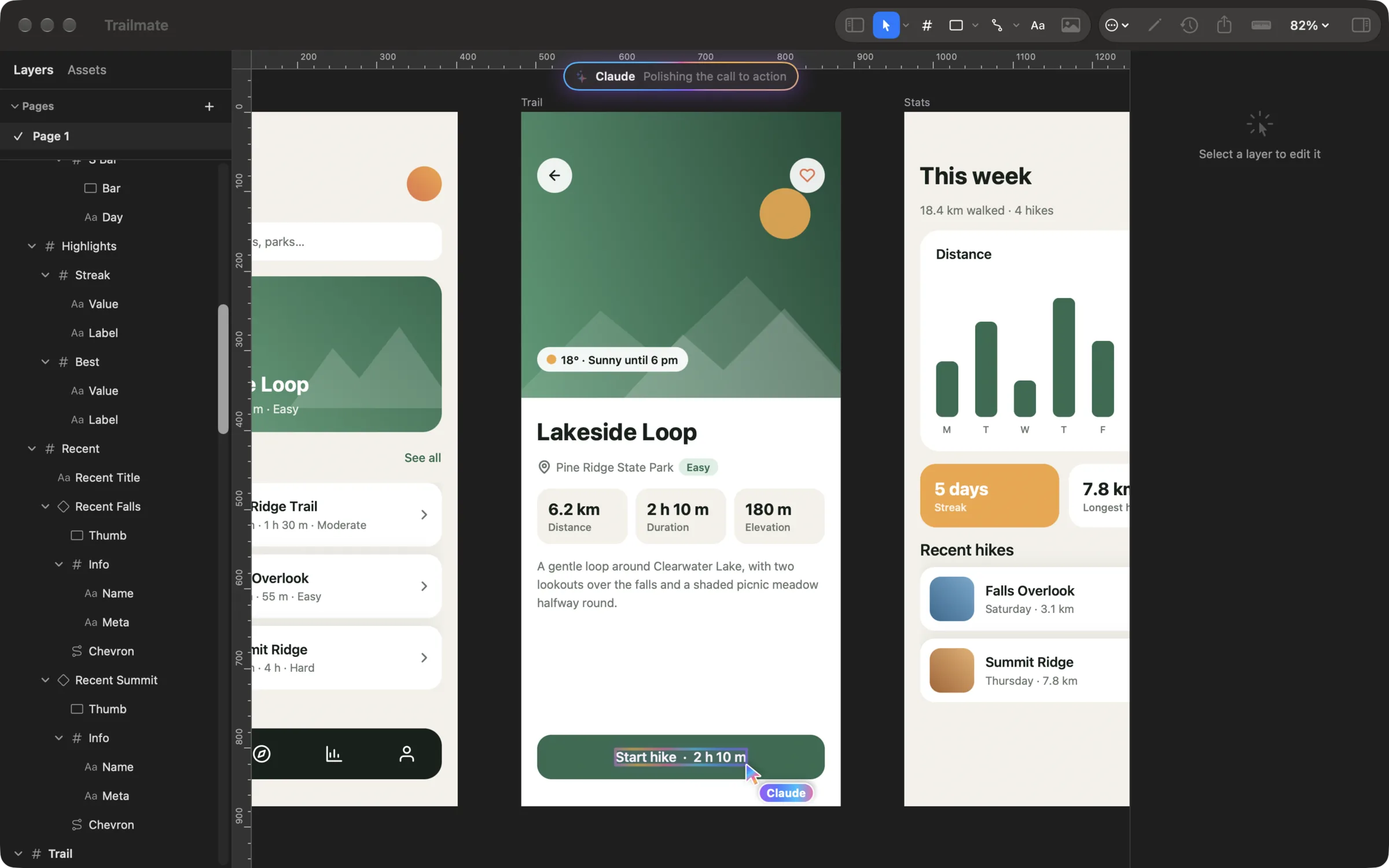
Screen Annotations 2.0.0 adds Designs, a second kind of document beside whiteboards. A design is pages of frames and layers for laying out app screens, websites, posts, and graphics, with the tools of a design editor. Designs open in their own windows on the Mac, in a touch editor on iPad, and sync between them through iCloud. AI agents can build them through the local MCP server while you watch. This release also adds live sync: what you draw on your iPad appears on your Mac as it happens.
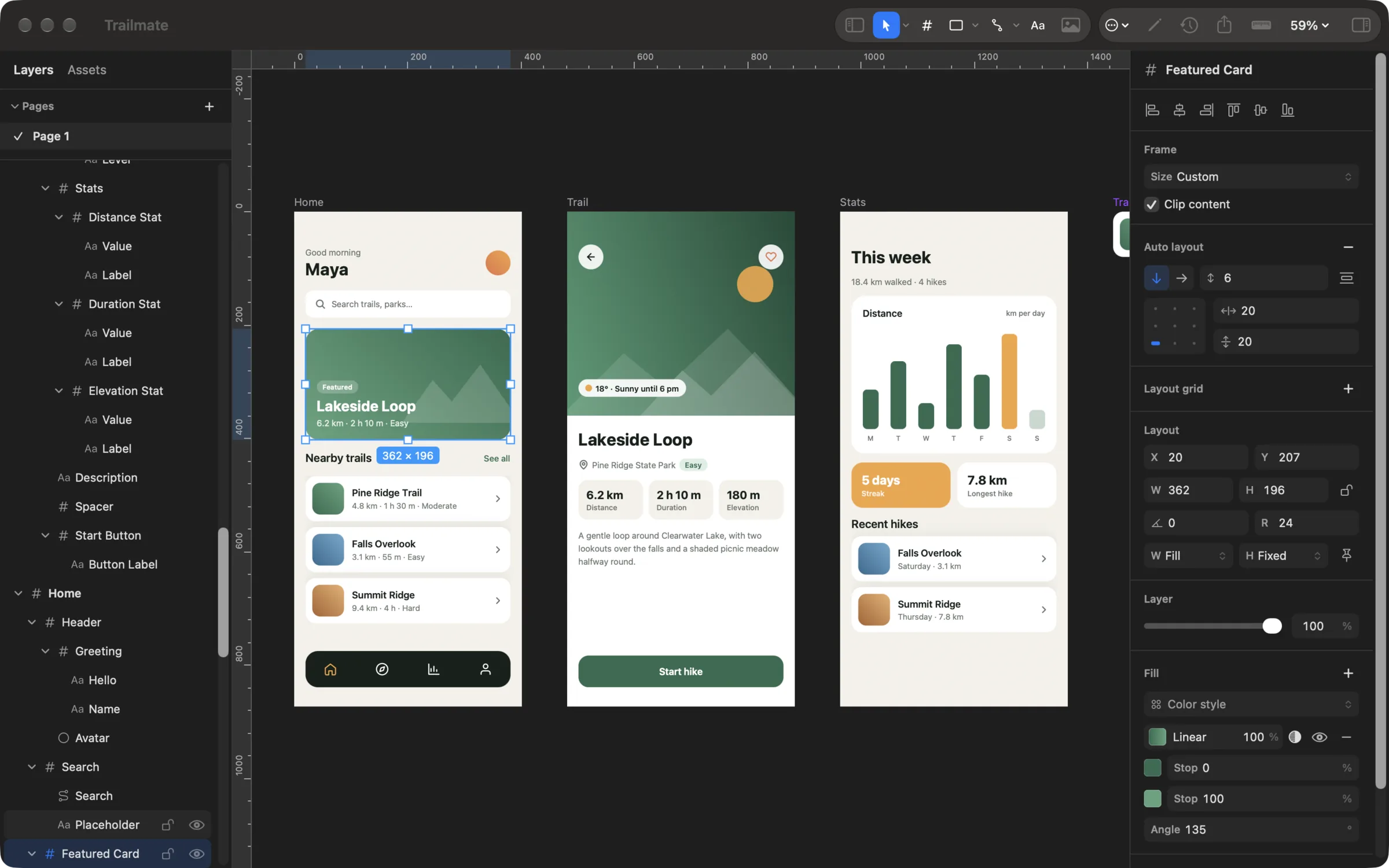
Designs
- New Design — start blank or from a preset frame: phone, tablet, desktop, website, social, and paper sizes
- One gallery — whiteboards and designs together, with an All / Whiteboards / Designs filter
- Pages — add, rename, duplicate, delete, and switch; each remembers its view
- On Mac — each design opens in its own window, with File, Tools, Object, and Arrange menus while it is in front
- On iPad — a floating tool bar, and Layers and inspector cards you show or hide. Touch and hold the selection for its menu
Drawing and Editing
- Tools — Move, Hand, Frame, Rectangle, Ellipse, Polygon, Star, Line, Arrow, Pen, Pencil, and Text
- The pen — places corners and curves, and you can edit a vector's points and handles
- Combine shapes — Union, Subtract, Intersect, Exclude, Flatten, Outline Stroke, and masks
- Style — solid, linear, and radial fills, strokes with position, caps, joins, and arrowheads, drop shadows, and all installed fonts
Layout and Systems
- Auto layout — rows and columns with gap, padding, alignment, and space-between; layers hug or fill; drag to reorder
- Constraints — layers stay pinned, stretch, center, or scale when their frame is resized
- Components — instances follow the main component and keep their own text, colors, and pictures
- Styles — change a color or text style and every layer using it follows
- Exact placement — layout grids, rulers, guides, smart guides with gap labels
Output and History
- Export — the selection, every frame, or the whole page as PNG at 1x, 2x, or 3x, or as one vector PDF
- Version history — automatic and named versions, restore, or start a new design from a version
Live Sync
- See it as it happens — with a window open on the Mac, strokes appear while the pen is down, along with moves and whole boards and designs
- The Mac follows — it opens the board or design the iPad opens and follows its page, pan, and zoom, so recording the Mac's screen records the drawing
- Direct and encrypted — devices on the same Apple Account connect on the same network or over peer-to-peer Wi-Fi, with no server and no pairing
- iCloud still has your back — it keeps everything safe and reaches devices that are away
For AI Agents (MCP)
- New design tools, from
create_designandadd_design_layerstoscreenshot_designandexport_design - Layers are CSS-like JSON, and what
get_designreturns can be sent back unchanged - Each call is one undo step, and the window shows the agent's status, a named cursor, and a glow on the layers it changes
Requirements
- macOS 15 or later on Mac; iPadOS 18 or later on iPad
- Versions before 2.0.0 keep syncing boards as before and skip designs